How to Look Confident on Camera: A Practical Guide for Creators
There are a dozen teleprompter apps in the App Store. Most work. The differences that matter depend on exactly how you record — whether you’re shooting solo on a tripod or with someone helping, whether you write scripts in Google Docs or type them directly in the app, and whether you need remote scroll control or just want something simple to get started.
Here’s a thorough breakdown of what to look for and which apps actually deliver it.
Before comparing specific apps, it’s worth being precise about which features actually affect your recording experience — and which ones just look impressive in screenshots.
Script overlay on live camera preview. This is the fundamental feature. Your script should appear on top of the live camera feed while you record — not on a second screen, not in a split layout, not on a separate device. The overlay is what lets you read while looking directly into the lens. If an app doesn’t do this, it’s a cue card app, not a teleprompter.
Scroll control options. Fixed-speed auto-scroll is the entry level. Good apps also offer manual touch scroll, where you move the text with your finger at whatever pace feels right. The best option for solo creators shooting on a tripod is remote control — so you can manage the scroll without walking into frame. The scroll method has more impact on delivery quality than almost any other feature.
Import flexibility. For anything beyond a short off-the-cuff script, you write in Google Docs, Notes, or Word — and you need to import that file cleanly. Look for .docx, .pdf, and .txt support as a minimum. Being forced to type directly into the app adds friction that compounds across every recording session.
Local storage and privacy. Scripts and recordings should stay on your device. Apps that require cloud sync for basic functionality add internet dependency, a potential privacy exposure, and an extra account to manage.
Offline functionality. Recording in a home studio, a quiet office, or a location without reliable signal should work without degradation. The app should need internet access only to verify your subscription — not to operate.
Video quality. Some teleprompter apps apply their own camera pipeline and degrade quality relative to the native Camera app. The best apps record at native quality. It’s worth checking on a test clip before committing.
Prompt Me is built for iPhone, iPad, and Android with a focus on the solo creator workflow. The script overlay is clean — text on the live camera preview, no layout complications. Import supports .txt, .doc, .docx, and .pdf via the iOS system file picker, which means iCloud Drive, Google Drive, Dropbox, and OneDrive all work automatically without any extra steps.
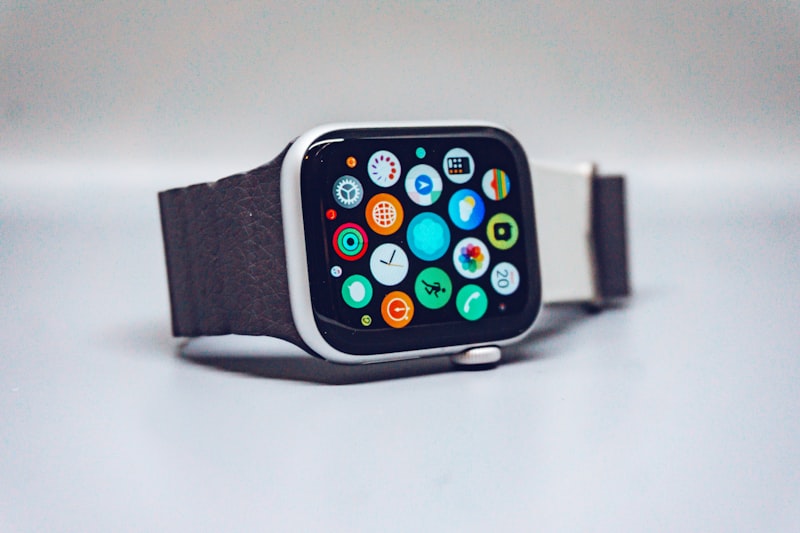
The standout feature is the Apple Watch remote: the digital crown controls scroll — turn to move the text, stop turning and the text holds exactly where you are. You’re in complete control of the pace with no fixed-speed compromise. You can also start and stop recording from the Watch, so you never have to touch the phone mid-take. Videos save directly to the camera roll on iOS and to a user-chosen folder on Android. Fully offline once installed.
Pricing: $9.99/month with a 7-day free trial, or $149.99 lifetime (currently $49.99 at launch). Available on the App Store and Google Play.
Teleprompter Premium has been in the App Store for years and has the feature depth to show for it. It covers all the basics well — overlay on camera, adjustable speed, text size and color options, mirroring support for physical rig users. The interface is more complex than newer apps, which experienced users often appreciate and first-timers can find overwhelming. Subscription-based. Good choice if you want a heavily configurable, proven app.
PromptSmart Pro takes a genuinely different approach: voice recognition advances the scroll automatically as you speak. Rather than setting a speed, the app listens to your delivery and keeps pace with it. When it works, the result is impressive — your natural rhythm drives the text. The limitations are real: noisy environments confuse the recognition, significant speed variation can cause drift, and the voice-tracking adds processing overhead that can affect older devices. Worth trying if naturalistic delivery is the priority and your recording environment is controlled. Subscription required.
BigVu combines teleprompter recording with in-app auto-captioning and direct social media export. If your workflow ends with distributing clips from your phone — rather than editing in a desktop app — BigVu handles the full loop in one place. The teleprompter experience itself is functional but not the focus of the product. Better for creators who want end-to-end mobile production than for creators who want the best possible teleprompter.
Teleprompter for Video offers a functional free tier, making it useful for occasional recording or for testing the format before committing to a paid app. Core features are present; the free version limits script length and some controls. A reasonable starting point if you’re not sure whether teleprompter recording fits your workflow.
Every app above offers either a free tier or a trial period. Before subscribing, run this quick evaluation:
Import a real script from your actual workflow. If you write in Google Docs, export a .docx and import it. If the import fails or formatting breaks badly, that’s disqualifying.
Record a 2-minute test clip using the scroll control you’d actually use in production. Watch it back: does the delivery sound natural? Does your eyeline look on-camera or slightly off?
Check video quality. Play the test clip back at full resolution and compare it to a clip shot in the native Camera app. Any visible quality loss matters.
Test offline. Turn on airplane mode and try to record. A well-built app should function without an internet connection.
Two minutes, real conditions. The right app becomes obvious quickly.
Solo creators shooting with iPhone on a tripod: Prompt Me or Teleprompter Premium. The Apple Watch crown control in Prompt Me is a meaningful advantage for this exact setup — here’s a full breakdown of how it works.
Creators who want voice-paced, hands-off scrolling: PromptSmart Pro, if your recording environment is quiet and consistent.
Mobile-first creators who want to record and distribute from one app: BigVu.
First-time teleprompter users who want to try before buying: the free tier of Teleprompter for Video.
Price differences at the low end. The functional gap between a $5 and $10 app is minimal. What matters is whether the scroll control and import workflow match how you actually work.
App Store review scores in isolation. Most teleprompter apps cluster at 4.0–4.5 stars. The reviews that tell you something useful are specifically about scroll behavior, overlay quality, and import reliability — not general ratings.
Physical hardware rigs for solo iPhone work. Beamsplitter teleprompters that mount in front of your lens produce optically perfect eye contact, but they cost $150–$600, require significant setup time, and add real bulk to a portable rig. For solo talking-head content on an iPhone, a good app is indistinguishable on camera from a hardware rig.
Is there a free teleprompter app for iPhone? Teleprompter for Video has a functional free tier. Most others offer free trials (7 days is typical) rather than ongoing free access. For regular use, a paid app is worth it — free tiers typically cap script length or add friction that adds up fast.
Which teleprompter app is best for beginners? Prompt Me or Teleprompter for Video. Both get you recording with minimal configuration: load a script, hit record. You can explore advanced controls once you’re comfortable with the basics.
Do teleprompter apps work with external cameras? Most iPhone teleprompter apps record through the built-in camera. If you’re shooting with a DSLR or mirrorless, you’d need dedicated hardware — a physical teleprompter with a separate display rather than a phone app.
Can I use a teleprompter app on iPad? Yes — all the apps listed support iPad. The larger screen makes text easier to read at distance, which some creators prefer for longer scripts or when shooting from further away.
The best teleprompter app for iPhone depends on your specific workflow. For most solo creators — phone on a tripod, scripts written in Google Docs or Word, recordings exported to a desktop editor — Prompt Me covers what matters. If voice-paced delivery or all-in-one mobile distribution is more important, there are better specialized options. Run the 2-minute test with two or three apps and the right choice makes itself clear.