How to Look Confident on Camera: A Practical Guide for Creators
Most teleprompter guides are written for TV studios — two-person crews, dedicated hardware, $500+ of gear. That’s not the world solo creators live in. You’ve got one phone, maybe a tripod, and a window. Here’s a setup that actually works for that reality.
When you’re shooting alone, you’re simultaneously the director, the talent, and the camera operator. Every second you spend managing setup is a second you’re not creating. The best teleprompter setup for solo work is the one that gets out of your way as fast as possible.
If you’re recording on your phone and using a teleprompter app on the same device, your script appears overlaid on the live camera preview. You read, you record — that’s it.
What you need:
What you don’t need: a second device, separate hardware, or any physical rig.
This is the right setup for 90% of solo creators. It’s portable, fast to set up, and requires zero extra kit.
If you want more words visible at once, or your recording phone is too small to comfortably read the script at distance, running the teleprompter on a nearby tablet works well. Place the tablet just out of frame but close to the lens — your eyes stay near-center on screen rather than drifting off to the side.
The limitation: you’re now managing two devices, and synchronizing scroll with your delivery takes a little more practice.
Physical teleprompters mount in front of your camera lens and reflect text from a tablet or phone below. They look professional because they put the text directly over the lens — eye contact is perfect.
The trade-offs: they cost $150–$600, they’re bulky, they require setup time, and they add friction to spontaneous recording. For solo creators doing talking-head content, a well-placed phone with a teleprompter app produces results that are indistinguishable on camera from the expensive rig.
One of the genuine pain points in solo teleprompter work is scroll control. If your phone is on a tripod, you can’t tap the screen mid-take to adjust speed without walking into frame.
Prompt Me solves this with a native Apple Watch app — start and stop recording, scroll your script with the digital crown, all from your wrist while you’re standing in front of the camera. Turn the crown and the text moves; stop turning and it holds right where you are. For solo shooting specifically, this is one of the most useful features available.
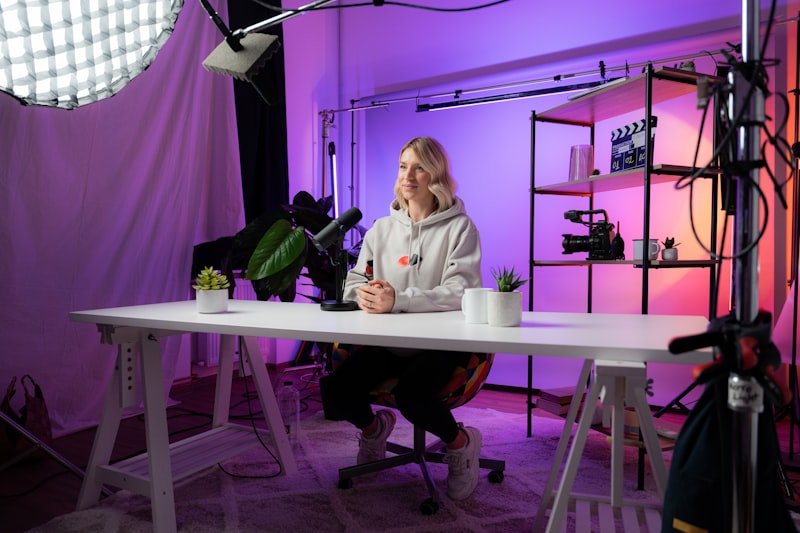
Your teleprompter setup doesn’t exist in isolation — it sits inside your full filming environment, and lighting is the thing most likely to make your recording look amateur regardless of how good your delivery is.
Basic principles:
For talking-head videos, 125–150 words per minute is natural conversational speed. A 5-minute video is 625–750 words — easily manageable in a single take with a teleprompter, and exhausting to memorize.
If you’re new to teleprompter work, start with shorter scripts (2–3 minutes) and focus on delivery over content volume. The goal is to build the muscle of reading-while-speaking so it sounds natural rather than recited.
The best setup is the one you’ll actually use consistently. For most solo creators, that’s a phone, a $20 tripod, and a good teleprompter app.